
ENDA
Widgets for publishers

Put a travel search on your site, in your own design

Kompare widgets let your readers search and compare trips from many travel agencies on your page. You choose the widget, style it to your brand and place it where readers make up their minds. When a reader books, you earn commission.

Join the waitlist as a publisher →

Kompare is in closed beta. No spam, we only reach out about early access.

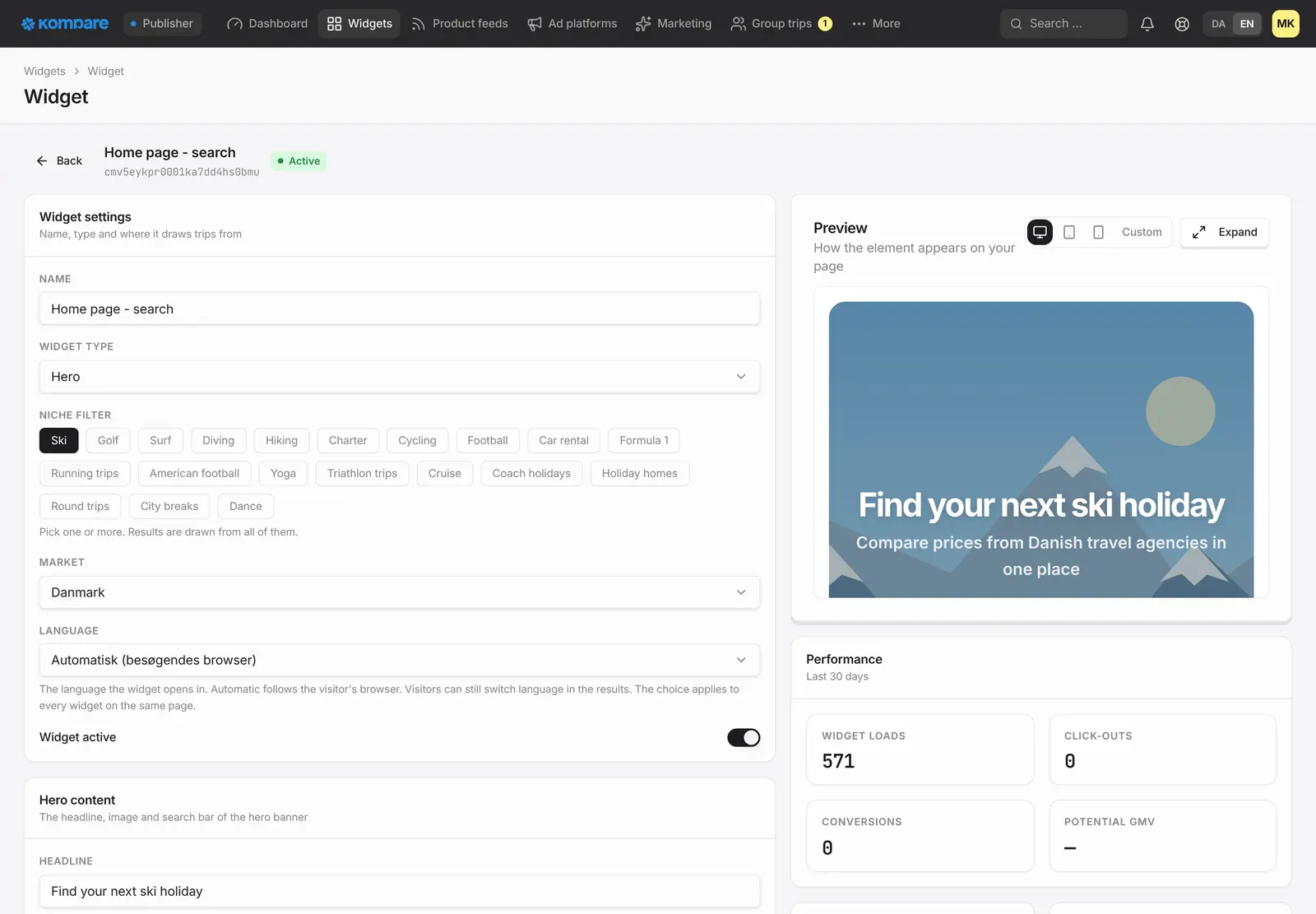
The widget editor in the Kompare console: widget type, niche, market and language on the left, and a live preview of the search banner on the right.

One script, then place the widgets

Add one script to your site and put the widgets where they fit. In WordPress that is an HTML block, and Webflow has an embed element for the same job.

The right widget for each page

A banner for the front page, a slim search for the header, a search bar, a results page and a branded hand-off page. Use the ones you need.

Your design, not a generic booking engine

Set colours, fonts, corners, logo and layout, and check the result in a live preview before readers see it.

Eleven languages

Widgets speak Danish, English, Swedish, Norwegian, Dutch, German, Spanish, French, Italian, Portuguese and Finnish. By default they follow the reader's browser, or you fix them to one language.

You decide where they run

List the sites that may show your widgets. They do not run anywhere else.

AI search, when you want it

Switch on an AI chat for a widget so readers can describe the trip in their own words. It stays off until you turn it on.

Pick the widget that fits the page

Not every page needs the same thing. Create the widgets you need in your console and combine them across your site.

  • Banner: a large header with a headline, a background image and a search bar. It holds its space while it loads, so your layout does not jump.
  • Search bar: a full search that sends readers on to your results page
  • Header search: a slim search for the top of your pages
  • Results: trips as a grid or a list on your own results page, filled from what the reader searched for
  • Hand-off page: a page in your brand that is shown before the reader continues to the travel agency
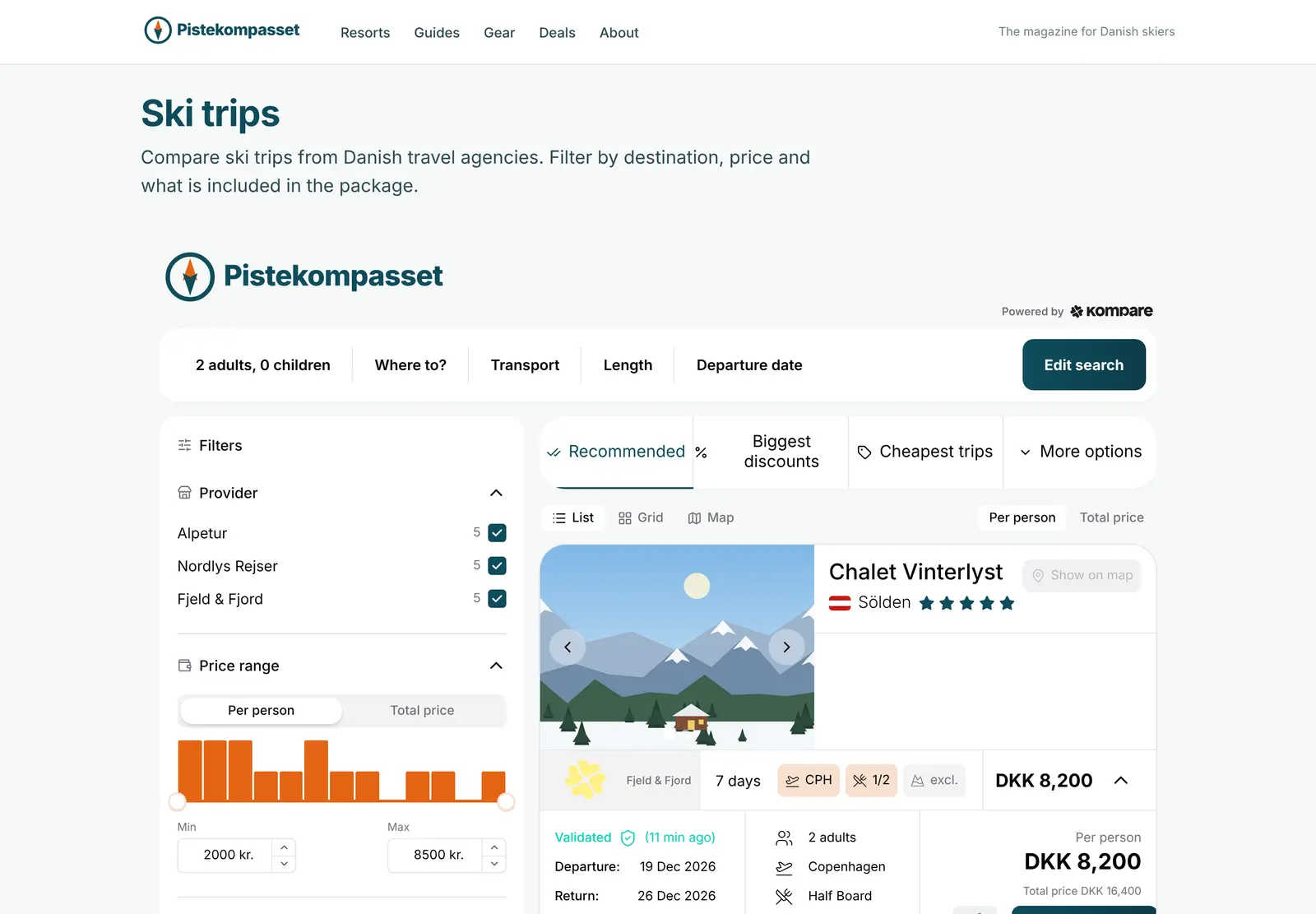
A results widget on a publisher's page: search bar, filters for travel agency and price, sorting and a trip card with dates and price per person.
Example with fictional travel agencies.

Make it look like your site

Your colours, font and corners apply to all your widgets. Each search setup and widget then has its own settings in your console, with a live preview next to them. Change something and see it before your readers do.

Widgets speak Danish, English, Swedish, Norwegian, Dutch, German, Spanish, French, Italian, Portuguese and Finnish. By default they follow the reader's browser, then the language of your page, and you can fix them to one language.

The Kompare logo can be hidden, but bookings still run through Kompare. That is how they are tracked and how you earn commission.

  • Primary, secondary and accent colours, fonts and corner radius
  • Your own logo, and the option to hide the Kompare logo
  • Grid or list, the number of trips per page and how links open
  • Banner headline, subtitle and background image
  • Which search steps to show, and the wording on them
  • Which travel agencies appear in your results
  • A country or destination pre-selected on a landing page, so a page about Austria opens on Austria
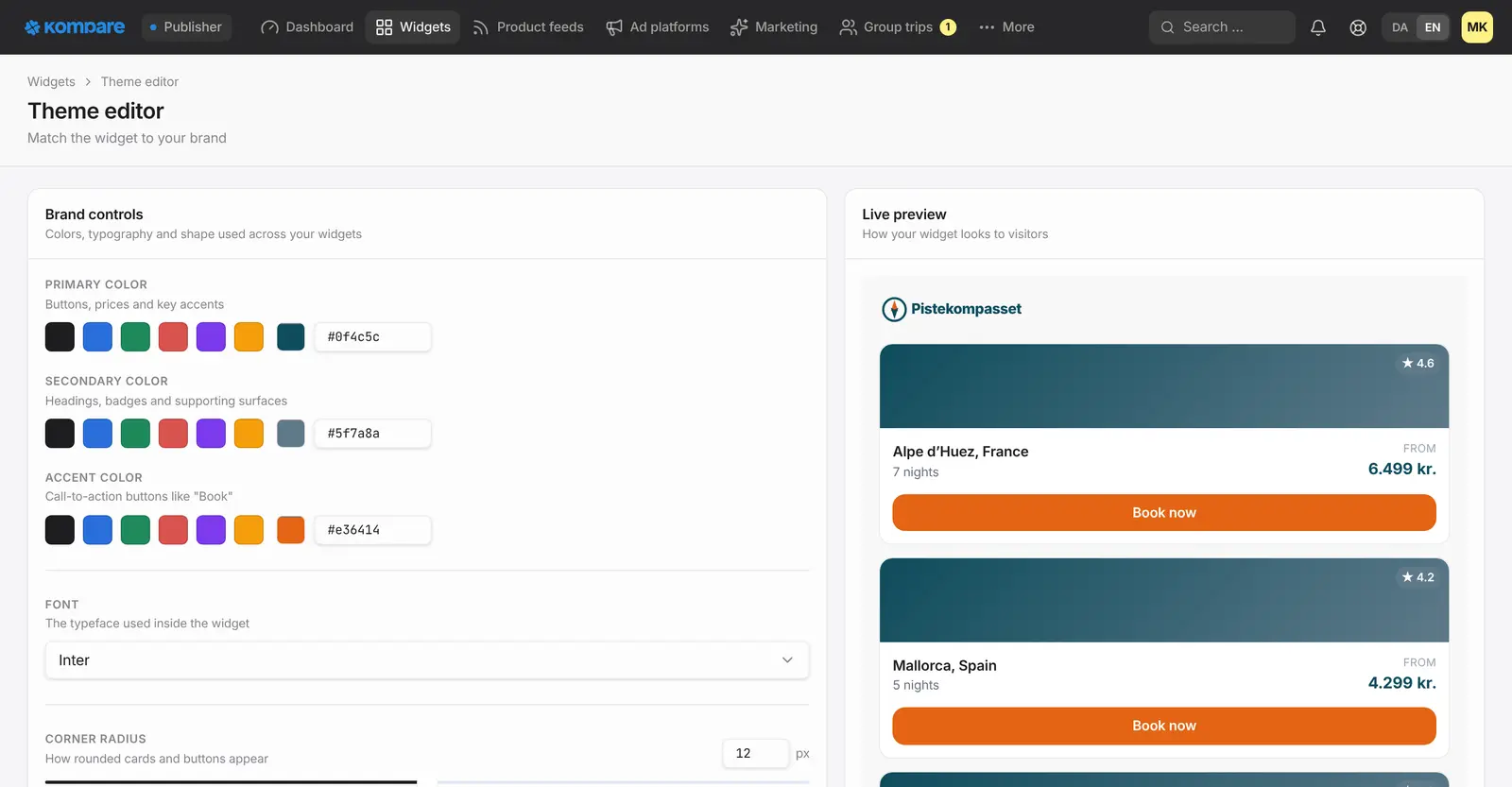
The theme editor with primary, secondary and accent colours, font and corner radius, next to a live preview of trip cards in the chosen colours.

Optional extras: AI search and the AI Article widget

Two extras sit on top of the core widgets. You do not need either to get started.

AI search is a setting on a widget, and it is off by default. When you switch it on, readers can describe the trip they want in their own words, and the assistant turns that into filters on the results. It stays within your niche and answers in the reader's language. Like any AI, it can misread a request, and the normal filters are always there.

The AI Article widget is an add-on. It reads the article around it and shows a carousel of matching trips that can be booked, with a link on to your results page. Ask us about it when you get in touch.

How it works

  1. Join the waitlist

    Tell us about your site, your audience and your travel niche.

  2. Create a search setup

    Pick how readers find trips, the trip types and your look in your console, and shape it with the live preview.

  3. List your site

    Add the sites that may show your widgets.

  4. Paste the code

    Copy the code from your console and place it on your page.

Frequently asked questions

Do I need a developer?

Usually not. Your console gives you the code for each widget and you paste it into your page, for example in a custom HTML block in WordPress or an embed element in Webflow. The widgets also work in React and Vue sites.

Can I make the widgets look like my own site?

Yes. You set colours, fonts, corners, logo and layout, and see the result in a live preview. You can hide the Kompare logo. Bookings still run through Kompare, which is how they are tracked and how you earn commission.

Can my widgets run on any site?

Only on sites you have listed. You add them in your console, a main domain also covers its subdomains, and the widgets do not run anywhere else. Until you add a site, none will show.

Is AI search switched on by default?

No. It is off until you turn it on for a search setup or a widget. Readers who do not use it get the normal search and filters.

Is the AI Article widget included?

No, it is an optional add-on and not part of the core widgets. Ask us about it when you get in touch.

Related

Be first when we open up

Tell us about your business and we will reach out personally when we open up access.

Join the waitlist as a publisher →

Updated 5 November 2026