
ENDA
Group trip leads

Turn group trip enquiries into leads that earn

A publisher builds a group trip form and puts it on their site. Each enquiry becomes one lead, which goes to a travel agency of their choice or to an open market of agencies. The agency sees the trip first and gets the contact details when it takes the lead. The publisher always sees the lead and earns when an agency pays for it.

Join the waitlist as a publisher →

Kompare is in closed beta. No spam, we only reach out about early access.

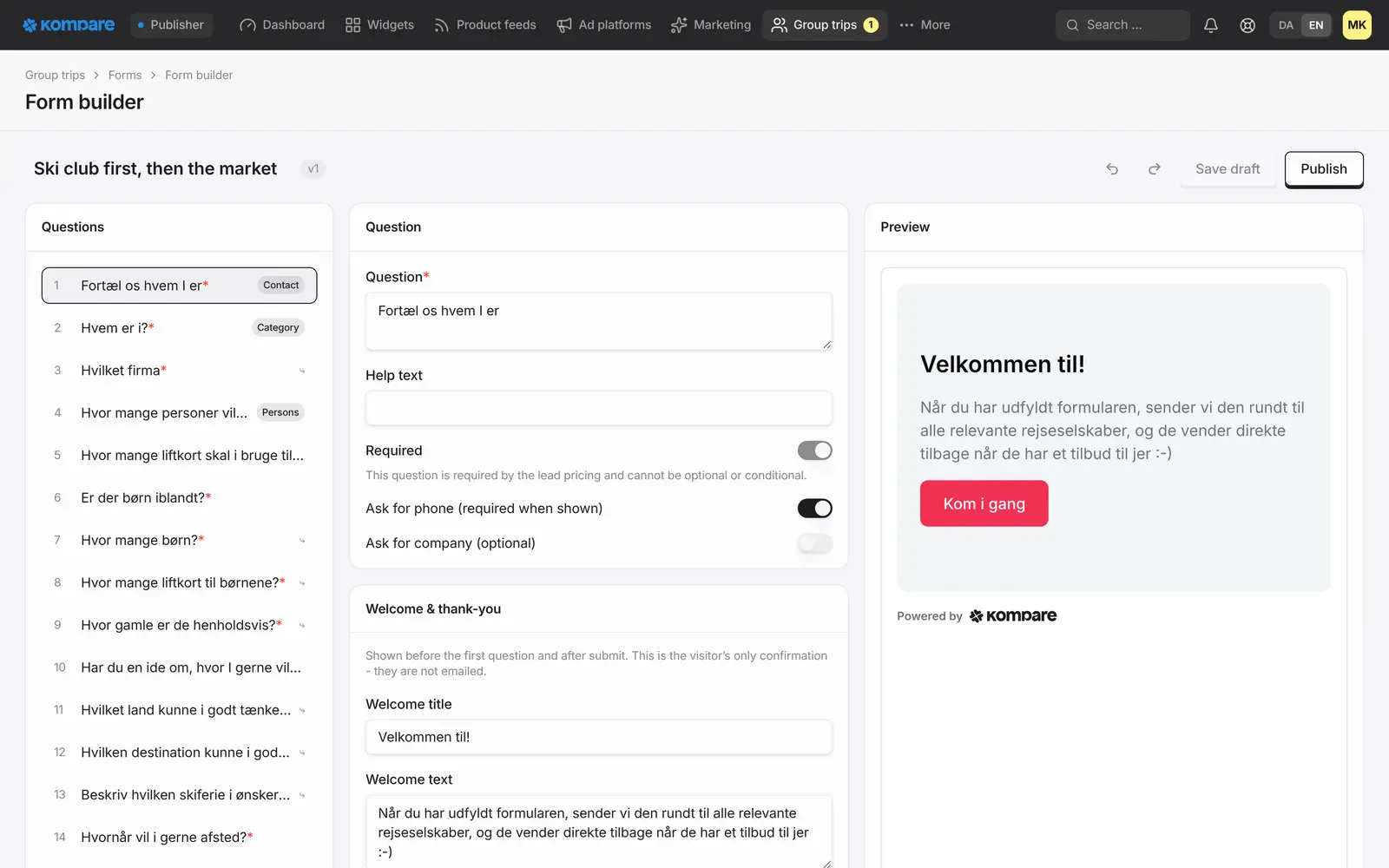
The lead form editor: the list of questions, the editor for the selected question, the welcome text and a live preview of the form.

A form you build yourself

Choose from 15 question types, add branching so each group answers only what applies, and start from a ready-made form or a blank one.

Draft first, then publish

Work on a draft as long as you like. Publishing locks that version, and a form is shown to visitors only once it is published.

You choose where leads go

To one agency, to that agency first and then the open market, or straight to the market.

You always see the lead

As the publisher you see every lead with its contact details and get a message when a new one arrives. You earn when an agency pays for it.

The agency sees the trip, not the person

An agency gets the group size, destination, dates and choices. Name, email, phone and free text stay sealed until it approves and prices the lead, or wins it.

A sealed auction on the open market

Agencies that have opted in bid per person. The highest valid bid wins and pays its own bid. The lead is sold to one agency.

For publishers: build the form, choose the route

You build the form in your console, one question at a time, the way the visitor sees it. There are 15 question types, from short text and choices to destination, dates, trip length, transport and contact details. Branching hides the questions that do not apply, and you write your own introduction and thank-you message.

You start from a ready-made form or a blank one, work on it as a draft and publish when it is ready. You then place the form on your site with the embed code from your console. It loads only on the sites you have listed.

  • One agency: the agency reviews and prices every lead
  • Agency first, then the market: the agency can pass a lead on, or you can set a deadline after which a lead without a decision goes to the market
  • The market only: every lead goes straight to an auction
  • You can move a lead without a price to the market yourself, relist one that did not sell or cancel an auction that is still running

For travel agencies: see the trip, then decide what it is worth

A lead reaches you as a teaser: the size of the group, the destination, the dates and the choices the group made. The name, email, phone and free-text answers are hidden. If a lead is sent to you directly, you review it and approve it with a price, or deny it. When you approve, the contact details open and the full lead is sent to you by email.

Leads on the open market are sold in a sealed auction, priced per person. You choose the niches and the smallest group size you want to see, and you bid in kroner per person. A bid can be changed or withdrawn until the auction closes. The highest valid bid wins when the auction closes and pays exactly its own bid. If the publisher has set a buy-now price, a bid that reaches it wins at once, at that price. The lead is sold to one agency, which then gets the full contact details. Agencies that did not win are told.

No agency sees what others bid or who sent the lead. If a lead you bought turns out to be invalid, you can report it within 7 days. Kompare reviews the report and rules. While it is open the lead is not billed, and if Kompare upholds the report it is never billed.

  • Choose the niches and the smallest group size you bid on
  • Place, change or withdraw a bid until the auction closes
  • Choose which emails you get about new leads, wins and losses

How it works

  1. Build the form

    Create a group trip form in your console from a starter or a blank form, and publish it.

  2. Place it and choose the route

    Put the form on your site and decide where its leads go.

  3. The agency sees the trip

    One agency, or every agency on the market, sees what the group wants. The contact details stay sealed.

  4. The lead is taken

    The agency that approves or wins the lead gets the contact details. The publisher earns when the agency pays for it.

Frequently asked questions

Does the agency see the contact details straight away?

No. An agency sees the trip details, but not the name, email, phone or free-text answers, until it approves and prices a lead sent to it, or wins the lead on the market. You, as the publisher, always see the full lead.

How does the auction work?

A lead goes to a sealed auction among the agencies that have opted in for its niche and group size. It runs for the number of hours the form sets, from 1 to 168, unless the publisher moves its end. Agencies bid per person, and a bid is valid when it reaches the minimum price set for the lead. The highest valid bid wins and pays its own bid. If the publisher has set a buy-now price, a bid that reaches it wins at once, at that price. The lead is sold to one agency. The others are told they did not win, and nobody sees another bid.

What if the agency does not answer?

On a form set to agency first, the agency can pass the lead on to the market. You can also set a deadline, after which a lead without a decision goes to the market. Without a deadline, the lead stays with the agency until it passes it on or you move it.

What if a lead an agency bought is no good?

The agency can report a lead it bought on the market within 7 days, for example as unreachable, fake, a duplicate or spam. Kompare reviews the report and decides. While the report is open the lead is not billed, and if it is upheld the lead is never billed.

How do I put the form on my site?

You copy the embed code from your console and place it on a page. The form loads only on the sites you have listed, and only once it has been published.

Related

Be first when we open up

Tell us about your business and we will reach out personally when we open up access.

Join the waitlist as a publisher →

Updated 5 November 2026